Give every viewing a next step.
Bring property details, buyer preferences and agent availability into a clear viewing journey.
 Harbor Properties DemoIllustrative business
Keep the property attached to the viewing.
Save the customer’s interest, viewing type and preferred agent. Confirm property access and travel buffers before agreeing the time.
- Browse property photos and advertised details.
- Choose a preferred viewing or open house.
- Add budget and requirements when useful.
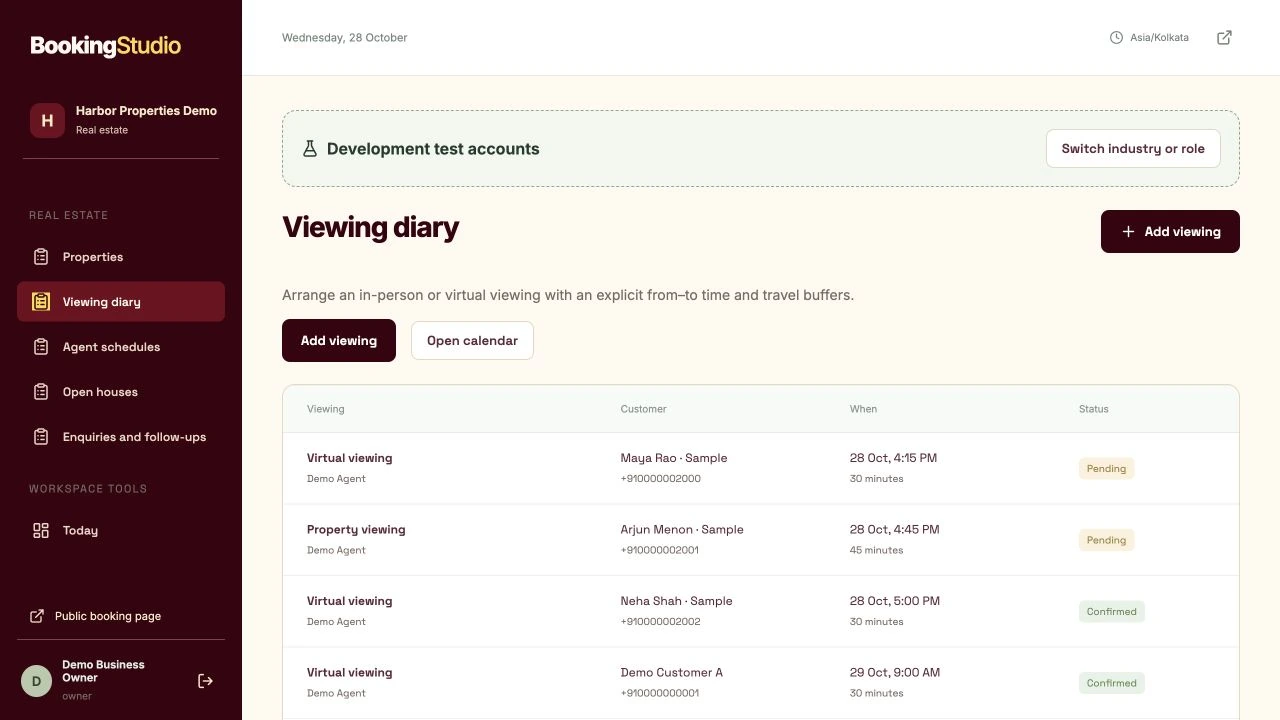
Actual viewing diary with virtual and in-person visits, agents and agreed times.
The viewing should lead somewhere.
Record the outcome and customer feedback, then follow up. Property asking prices are not treated as your business’s booking revenue.
- Check agent time and property access.
- Call to confirm the viewing arrangement.
- Record feedback and the next follow-up.
Work progress stays separate from payment status.
See the customer’s side.
Then take the team’s seat.
Local sample data. Nothing is sent or booked.
Try a customer request.
This guided form is a local exercise. It does not submit a real request.
Property viewing
For demonstration only
Useful answers for real estate.
Does a property price count as revenue?
No. Advertised property prices are not booking sales revenue.
Can I publish open houses?
Yes. Scheduled open-house sessions can have capacity limits. Contracts and property transactions remain outside this release.
Make room for
your best work.
Your customers. Your team. One clearer day.
₹399/month · plus applicable taxes